Feature Extraction
The Feature Extraction module computes summary statistics from segmented strides, converting curve data into a tabular format suitable for AI interpretation.
Overview
LLMs such as ChatGPT are not able to produce accurate interpretations when given numerous curves as input. Rearranging the information into a tabular format yields significantly better outputs. Therefore, a Feature Extraction layer has been implemented within the toolkit.
The input for this stage is the segmented strides saved in the Stride Analysis step.
Extracted Features
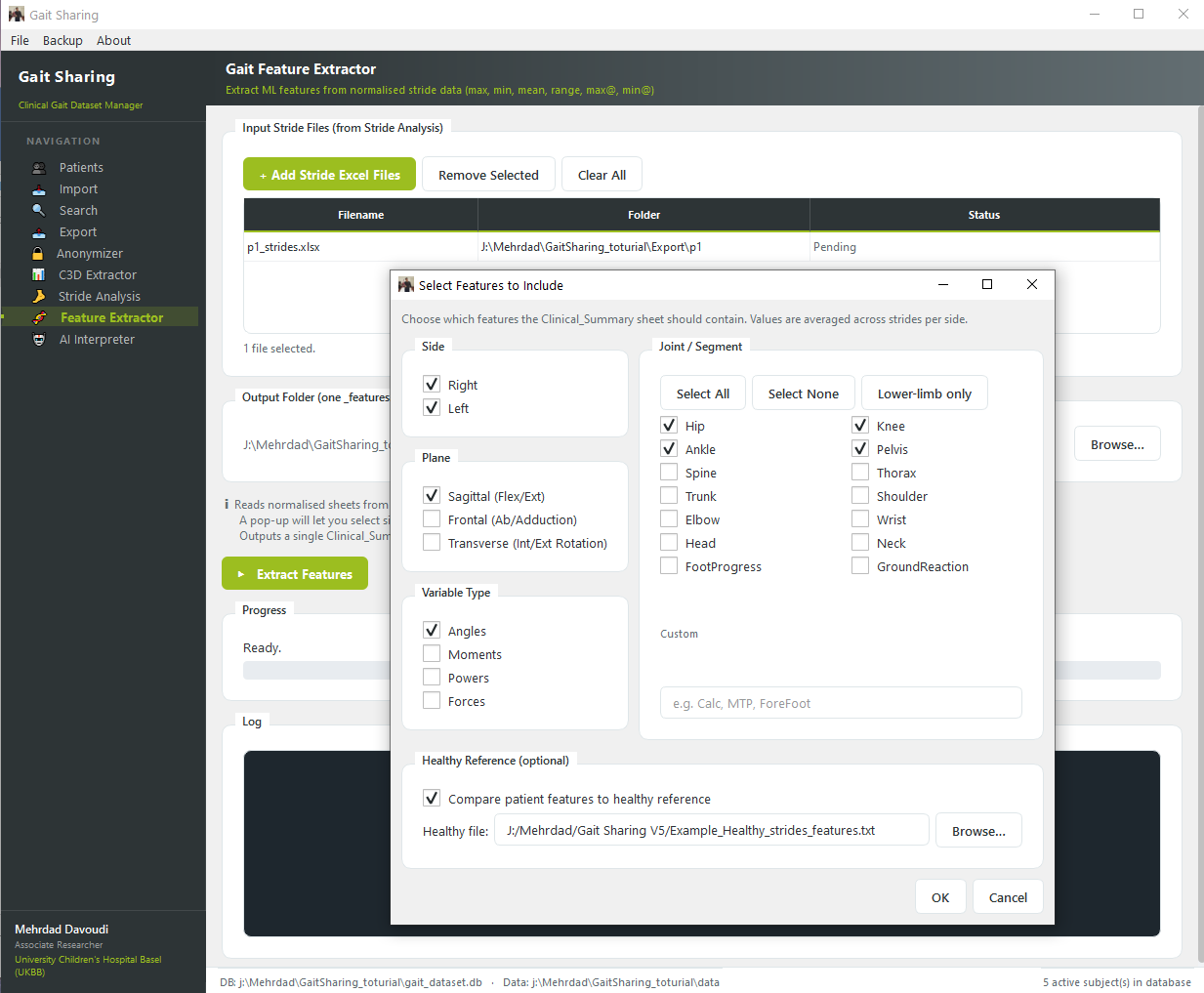
The following features are computed for the whole gait cycle, stance phase, and swing phase, for each stride and side (right and left):
Feature |
Description |
|---|---|
min |
Minimum value |
max |
Maximum value |
mean |
Average value |
range |
Difference between max and min |
min@ |
Location (% gait cycle) of the minimum |
max@ |
Location (% gait cycle) of the maximum |
Variable Selection
The toolkit allows the user to select which variables are important for interpretation. Calculations will be performed only on those selected variables, reducing noise in the output.
Reference Data Comparison
One important limitation of LLMs is that there are no normal (healthy) reference values embedded in their training data. To address this, the toolkit provides the option for users to create normal reference values through the previous pipelines and upload them here.
By enabling the Compare with reference data option, the outputs will include both patient and healthy data, enabling direct comparison.
Output
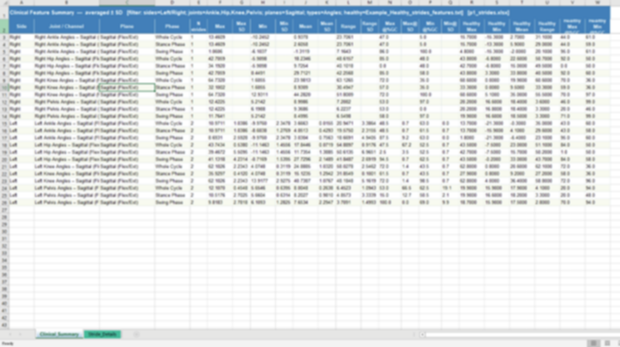
The results are available in two formats:
Excel (
.xlsx): Contains stride-level features and their averages (with SD) when more than one stride is availableText (
.txt): A formatted text file that can be used directly in the AI Interpretation step