Import Window
The Import window is the starting point for building your local patient database.
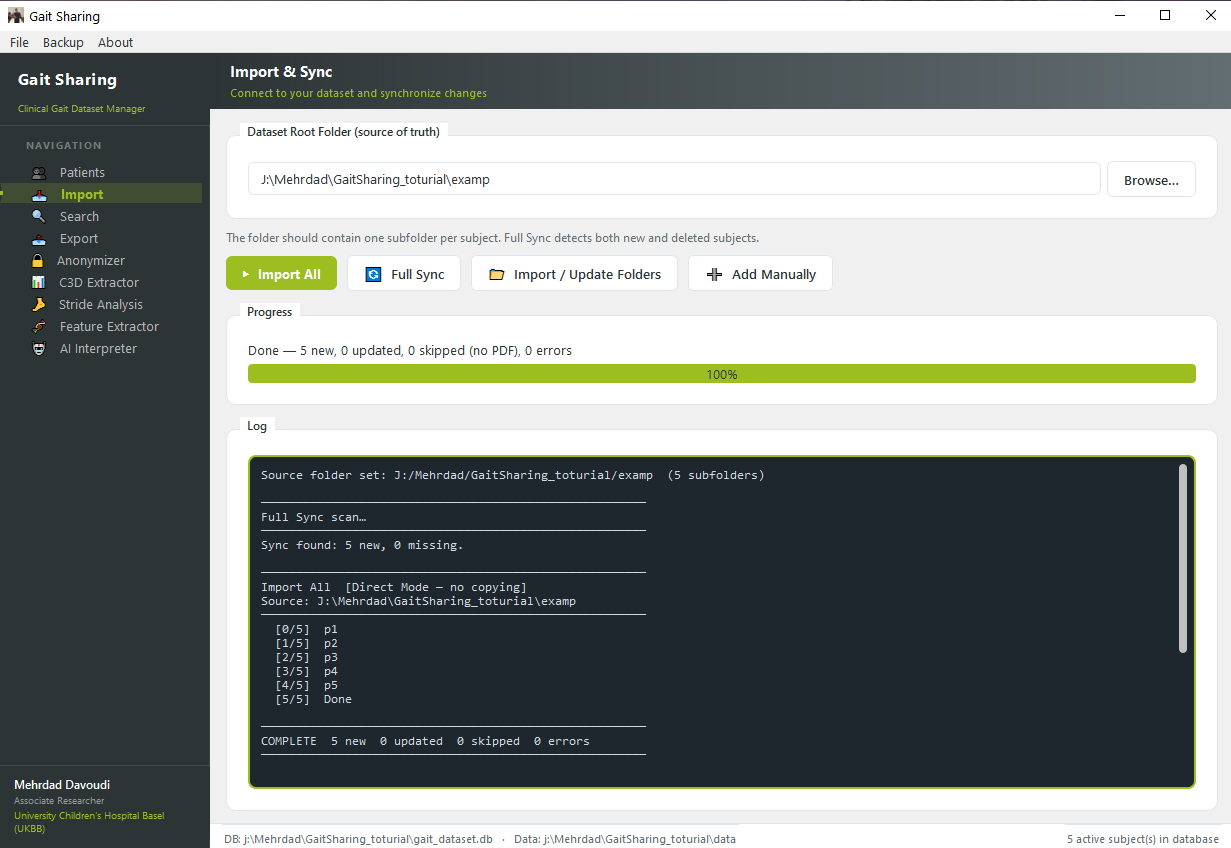
How It Works
By navigating to the existing lab database (Browse), the toolkit reads the patient report files and automatically extracts their information to be transferred into the Patients window (Import All).
The existing database consists of folders named with the subjects’ IDs (e.g., p1 to p5), and includes gait data such as C3D files containing kinematics and kinetics, along with other clinical data and often a PDF file with patient information (name, last name, birthdate, etc.). The toolkit depends on this PDF to extract detailed information and create the local database.
Database Structure
lab_database/
├── p1/
│   ├── patient_report.pdf
│   ├── walking_trial_01.c3d
│   └── walking_trial_02.c3d
├── p2/
│   ├── patient_report.pdf
│   └── walking_trial_01.c3d
└── ...
Synchronization
In case of changes in the original database (e.g., removing or adding documents or patients), pressing Full Sync will detect the changes and update the patients’ information accordingly.
Additional Options
Add Manually: Define subjects manually without a PDF source
Update Folder: Import subjects from a different database folder
All subjects, regardless of how they were added, are managed through the same Patients window.